

Starlink internet is changing how Australians access high-speed broadband, particularly in regional, rural and remote locations where traditional internet services may be limited or unreliable. Powered by SpaceX’s Low Earth Orbit (LEO) satellite network, Starlink provides internet connectivity without relying entirely on conventional fibre, copper or mobile infrastructure.
For households, businesses, travellers and remote workforces, Starlink offers an alternative for everyday browsing, video conferencing, cloud applications and online entertainment. Through EXCEED ICT, Australian businesses can also explore Starlink connectivity solutions designed for mobile operations, remote sites and enterprise networking.
What Is Starlink Internet?
Starlink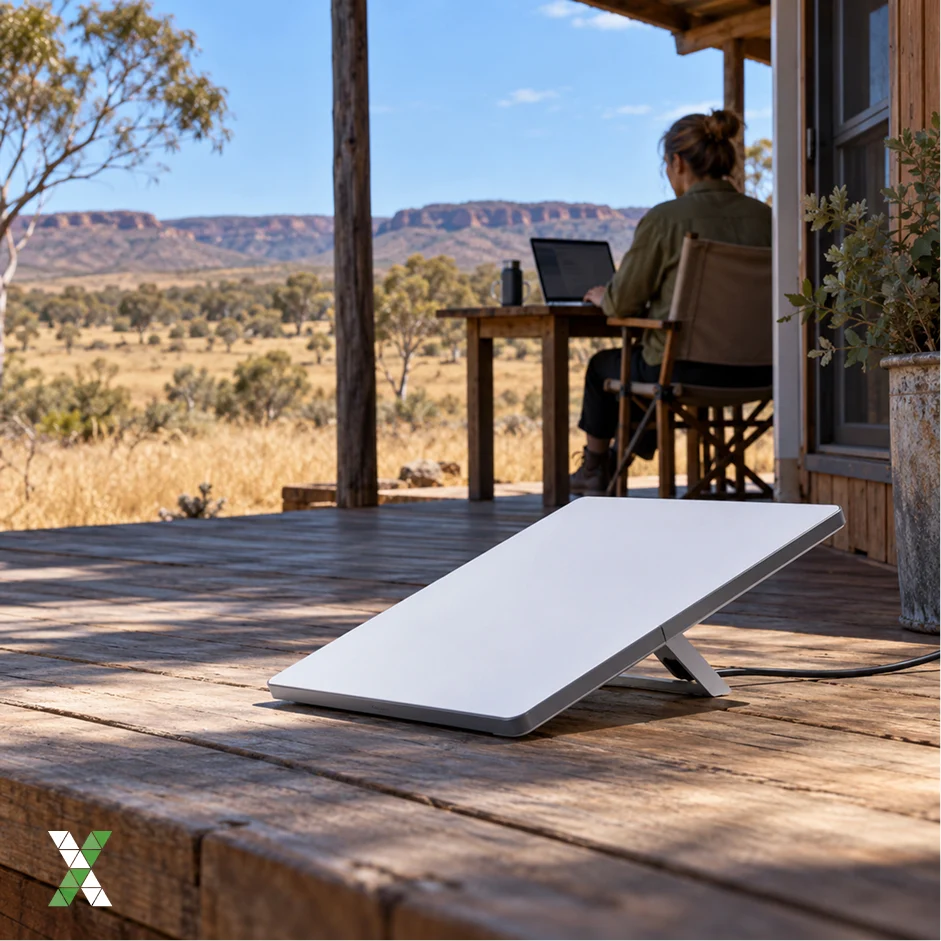 is a satellite broadband service operated by SpaceX. Unlike traditional satellite internet systems that use satellites orbiting approximately 35,786 kilometres above Earth, Starlink uses a large constellation of satellites in low Earth orbit.
The shorter distance between the satellites and the ground helps reduce latency, making Starlink suitable for many applications that require responsive internet connectivity.
Starlink can be particularly useful for:
- Rural and regional households with limited broadband options.
- Farms, agricultural operations and remote industrial sites.
- Businesses operating outside reliable mobile coverage.
- Travellers, campers and caravan owners using compatible mobile plans.
- Emergency response teams requiring connectivity in challenging environments.
- Organisations needing a backup internet connection for business continuity.
Availability and performance depend on the service plan, location, network capacity, equipment and installation conditions.
How Does Starlink Internet Work?
Starlink connects your devices to the internet through a satellite-based communication network rather than relying solely on traditional ground-based broadband infrastructure.
The system has three main components.
- Starlink Dish and User Terminal: The Starlink dish is installed outdoors in a location with a clear view of the sky. It communicates electronically with satellites passing overhead and connects to the supplied networking equipment.
- Low Earth Orbit Satellites: Starlink satellites receive and relay data between the user terminal and the wider network. Some satellites also use optical inter-satellite links to transfer data between satellites, depending on network routing and availability.
- Ground Stations and Internet Networks: Ground gateways connect the satellite network with terrestrial internet infrastructure. Data travels through the network to reach websites, cloud applications, video platforms and other online services.
This architecture enables Starlink to provide broadband connectivity in locations where installing traditional fixed-line infrastructure may be difficult or expensive.
Starlink Internet Plans in Australia
Starlink offers residential and roaming services in Australia, with plans designed for different usage requirements. Residential services are intended primarily for a fixed home location, while Roam plans support portable connectivity for eligible travel and mobile use.
According to Starlink’s Australian service-plan page, the following residential and Roam options are listed. Prices and eligibility can change, so check the official website before ordering.
| Plan | Main features |
| Residential 100 Mbps | Unlimited data and download speeds capped at 100 Mbps; available in selected areas |
| Residential 200 Mbps | Unlimited data and download speeds capped at 200 Mbps; available in selected areas |
| Residential Max | Maximum available residential speeds and higher network priority |
| Roam 100GB | 100 GB of high-speed data, followed by unlimited low-speed data |
| Roam Unlimited | Unlimited roaming data, subject to applicable service terms |
Residential Plans

Residential plans are designed for households that need a reliable connection for browsing, streaming, remote work, online education and connected devices.
The capped-speed options may suit households with moderate internet requirements, while Residential Max is intended for customers who want the highest available performance and residential network priority.
Plan availability varies by address, so confirm which options are offered at your property before making a decision.
Starlink Roam
Starlink Roam is designed for people who need connectivity while travelling or using their equipment at different locations, subject to plan conditions.
It can be useful for:
- Caravans, motorhomes and camping trips.
- Remote fieldwork and temporary project sites.
- Mobile businesses and travelling professionals.
- Certain marine and other mobile applications where the selected service and equipment permit use.
Roam plans differ in data allowances and usage conditions. Before travelling, check the rules for in-motion use, international travel, coastal coverage and network priority.
Starlink for Business
Businesses often have different requirements from residential customers. They may need connectivity across several sites, mobile operations, centralised network management, security controls or a backup connection.
EXCEED ICT provides Starlink-related connectivity solutions for business use cases, including remote operations and mobile environments. Its team can help assess the equipment, network integration and support requirements for a particular deployment.
Starlink Internet Speeds and Performance
Starlink performance varies depending on the service plan, local network demand, equipment, obstructions and weather conditions. Advertised maximum speeds should not be treated as guaranteed speeds.
Download and Upload Speeds
Actual download and upload speeds depend on your plan and conditions at the time of use.
A connection with sufficient bandwidth can support activities such as:
- Streaming high-definition and 4K video.
- Downloading large files and software updates.
- Accessing cloud-based business applications.
- Participating in online meetings and video calls.
- Connecting multiple household or business devices.
Run speed tests at different times of the day to understand how the connection performs during busy periods.
Latency and Online Applications
Latency measures the time required for data to travel between your device and a destination and back. Starlink’s low Earth orbit architecture generally provides lower latency than traditional geostationary satellite services.
This can improve video calls, remote desktop access and many online games. However, latency can vary, and satellite handovers, congestion or network conditions may occasionally cause delays. Users requiring consistently minimal latency for highly competitive gaming or specialised applications should test performance before relying on the service.
Starlink Hardware: Standard Kit vs Starlink Mini
Choosing the right equipment is important because hardware affects portability, power requirements, installation and suitability for different environments.
Starlink Standard Kit
The Standard Kit is generally suited to fixed residential installations and other compatible stationary applications.
It is worth considering if you need:
- A permanent internet connection at a home or business.
- Connectivity for multiple users and devices.
- A dish installed on a suitable roof, pole or mounting location.
- A setup designed to remain in one place.
The exact kit contents and specifications depend on the hardware generation available at the time of purchase.
Starlink Mini
Starlink Mini is a compact, portable satellite internet kit designed for users who need connectivity while travelling. It incorporates Wi-Fi functionality and is designed to be easier to transport than a standard fixed installation.
Potential applications include camping, remote fieldwork, temporary work locations and travel. Check power requirements, plan compatibility and coverage conditions before using it away from your primary location.
For business deployments, the choice between Standard, Mini and other supported hardware should be based on the operating environment, required performance and whether the connection needs to work while moving.
How to Set Up Starlink Internet
 Starlink is designed to simplify installation, and many users can set up compatible kits themselves. However, mounting, cabling and site conditions can affect the final result.
Step 1: Check Availability
Enter your service address on the official Starlink website to check coverage, available plans and hardware options.
Step 2: Choose the Right Plan and Equipment
Select a residential plan for a fixed home connection or an eligible Roam or business service for mobile and operational requirements. Consider how many devices will connect, how much data you use, whether portability is essential and whether the connection must support business-critical applications.
Step 3: Check for Obstructions
The dish requires a sufficiently clear view of the sky. Trees, buildings, roof edges and other obstructions can interrupt satellite visibility and cause connection drops. Use the Starlink app’s obstruction-checking tool to assess potential installation locations before mounting the equipment.
Step 4: Install and Connect the Equipment
Position the dish according to the installation instructions, connect the supplied equipment and power it on. Follow the app’s setup process to establish the connection and configure your network. If the installation involves roof access, complex mounting or a commercial site, consider using an appropriately qualified installer.
Step 5: Test Your Connection
After setup, test download speed, upload speed, latency and connection stability. Check performance in the areas where you work or use connected devices most often. For business networks, additional configuration may be required to integrate Starlink with existing routers, firewalls, Wi-Fi access points or SD-WAN systems.
Limitations to Consider Before Choosing Starlink
Although Starlink provides significant benefits, it is not necessarily the best option for every location or application.
- Obstructions: Trees, buildings and roof structures can interrupt the dish’s view of the sky and cause dropouts.
- Upfront costs: Hardware purchase or rental, mounting accessories and professional installation may increase the initial cost.
- Variable performance: Speeds and latency can fluctuate due to congestion, weather and network conditions.
- Power requirements: The dish and networking equipment need a suitable power supply, which is an important consideration for off-grid and mobile deployments.
- Plan restrictions: Residential and Roam services have different usage conditions. Some business, marine and in-motion requirements may require specific plans or equipment.
- Weather impacts: Starlink equipment is designed for outdoor use and can handle various weather conditions, but severe weather may still affect signal quality or availability.
Compare the total cost, performance requirements and service conditions with other available broadband options before deciding.
Starlink Internet for Australian Businesses
 For businesses operating across regional Australia, reliable connectivity can support productivity, safety, communication and operational visibility.
Starlink can be incorporated into a wider connectivity strategy for:
- Remote construction and infrastructure projects.
- Mining, agriculture and field operations.
- Mobile workforces and connected vehicles.
- Temporary offices and rapidly deployed sites.
- Emergency response and disaster recovery.
- Backup connectivity for selected business locations.
For these environments, internet access is only one part of the solution. Businesses may also need secure networking, centralised management, power planning, device integration and ongoing technical support.
EXCEED ICT works with organisations to assess connectivity requirements and integrate suitable technologies into business operations. Depending on the project, Starlink may be combined with enterprise routers, mobile connectivity, SD-WAN or other networking solutions to support a more resilient deployment.
Starlink vs Traditional Internet Options
The most suitable connection depends on your location, application and performance requirements.
- Fibre broadband: Often a strong choice where available, particularly for users who need consistent high speeds and low latency.
- Fixed wireless: Can be effective in areas with suitable network coverage and capacity.
- 4G and 5G broadband: May offer convenient connectivity where mobile coverage and signal quality are strong.
- Starlink: Can be particularly useful in rural, remote and mobile environments where conventional infrastructure is limited.
- Traditional satellite broadband: May remain an option in some locations, although geostationary systems generally have higher latency than LEO services.
Starlink should not automatically replace an existing connection that already meets your needs. Compare availability, real-world performance, cost and reliability at your specific location.
How to Choose the Right Starlink Solution
Before purchasing equipment or subscribing to a plan, consider these questions:
- Is the service available at your home, office or work site?
- Will the equipment remain stationary or need to move between locations?
- How many users and devices will connect simultaneously?
- What download speed, upload capacity and latency do your applications require?
- Is a backup power supply or secondary internet connection necessary?
- Will the system need to integrate with existing business networking and security equipment?
- What are the total hardware, monthly service and installation costs?
For a business deployment, documenting these requirements before ordering can help avoid selecting equipment or a plan that does not meet operational needs.
Get Started with Starlink Internet Through EXCEED ICT
Starlink internet provides a valuable connectivity option for Australian homes, businesses and remote operations that need an alternative to traditional broadband infrastructure.
The right solution depends on your location, usage requirements, hardware choice and service plan. For businesses, integrating Starlink with existing connectivity and network management systems can also help support operational continuity and connectivity across multiple locations.
EXCEED ICT helps Australian organisations explore Starlink and broader connectivity solutions for remote, mobile and enterprise environments.
Need Starlink connectivity for your business? Contact EXCEED ICT to discuss your requirements and identify a suitable solution for your operations.
Call us on 1300 832 639 or simply search “Exceed ICT” on Google Maps to find a location near you and connect with our team today.
We also provide Managed Services, Asset Management, IoT Helpdesk, Fleet Management, Project Management, Telecoms Expense Management.
Improve Your Business Core values, Business Consulting, Network Management, Telstra Adaptive Mobility, Device Enrolment, and many more Solutions.
Find us (Exceed ICT) on Google map.
Comments
Post a Comment